Design realistic WhatsApp mockups
Fake WhatsApp Chat Generator
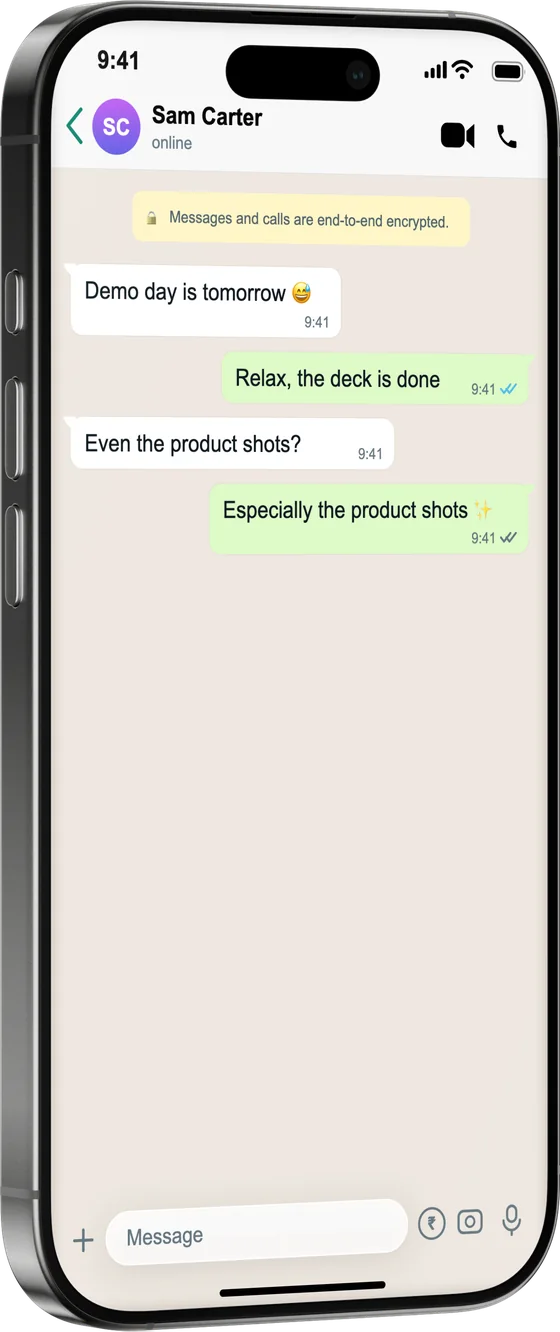
Build a realistic WhatsApp chat mockup for demos, tutorials and UI design. Write both sides of the conversation, set the contact, time and delivery ticks, and export it inside a photoreal iPhone — free, no sign-up.
How it works
From source to finished image
- 1
Write the conversation
Add messages from you and the contact, with emoji, replies and date separators.
- 2
Match the WhatsApp look
Set the contact name, status, time, single/double/blue ticks, wallpaper and light or dark mode.
- 3
Frame and export
Drop it into an iPhone or Android frame, style the background and export at HD or higher.
Pixel-accurate details
Ticks, timestamps, voice notes and reactions match the real app so demos read as authentic.
Built for demos & design
Perfect for product walkthroughs, onboarding docs, app-store screenshots and design reviews.
Honest by default
One click adds a “fictional” disclosure label, so recreated chats are clearly marked as mockups.
What is a fake WhatsApp Chat Generator?
When you're demoing a messaging feature, writing onboarding docs or designing a product walkthrough, a real WhatsApp screenshot exposes a real conversation and rarely says exactly what you need. This generator lets you script both sides of the chat and control the details that make it read as authentic — contact name and status, timestamps, single, double and blue ticks, the wallpaper, and light or dark mode. Export it inside a photoreal iPhone or Android frame at HD or higher. It's free with no sign-up, and a one-click “fictional” label keeps recreated chats clearly marked as mockups.
Frequently asked questions
Is it free to use?
Yes. The WhatsApp screen is free with no sign-up. Image export is included, with a small “Made with MockFrame” badge that Pro removes; Pro adds video/GIF export and 4K/6K output.
Can I set delivered, read and blue ticks?
Yes — choose single grey, double grey or double blue ticks per message, along with the timestamp and contact status.
Does it support light and dark mode?
Both. Switch the chat between WhatsApp's light and dark themes, and pick the wallpaper behind the bubbles.
Is it okay to create a fake WhatsApp chat?
For demos, tutorials, UI design and marketing, yes. A one-click “fictional” label marks the mockup so it isn't mistaken for a real conversation — don't use recreations to deceive or impersonate.