1
Plan your feature sequence
Select the specific screenshot cards and messaging blocks that demonstrate your product solving a core pain point step-by-step.
Learn how to use MockFrame's animation scrubber and camera movement presets to create high-converting video mockups for your next product launch.
Select the specific screenshot cards and messaging blocks that demonstrate your product solving a core pain point step-by-step.
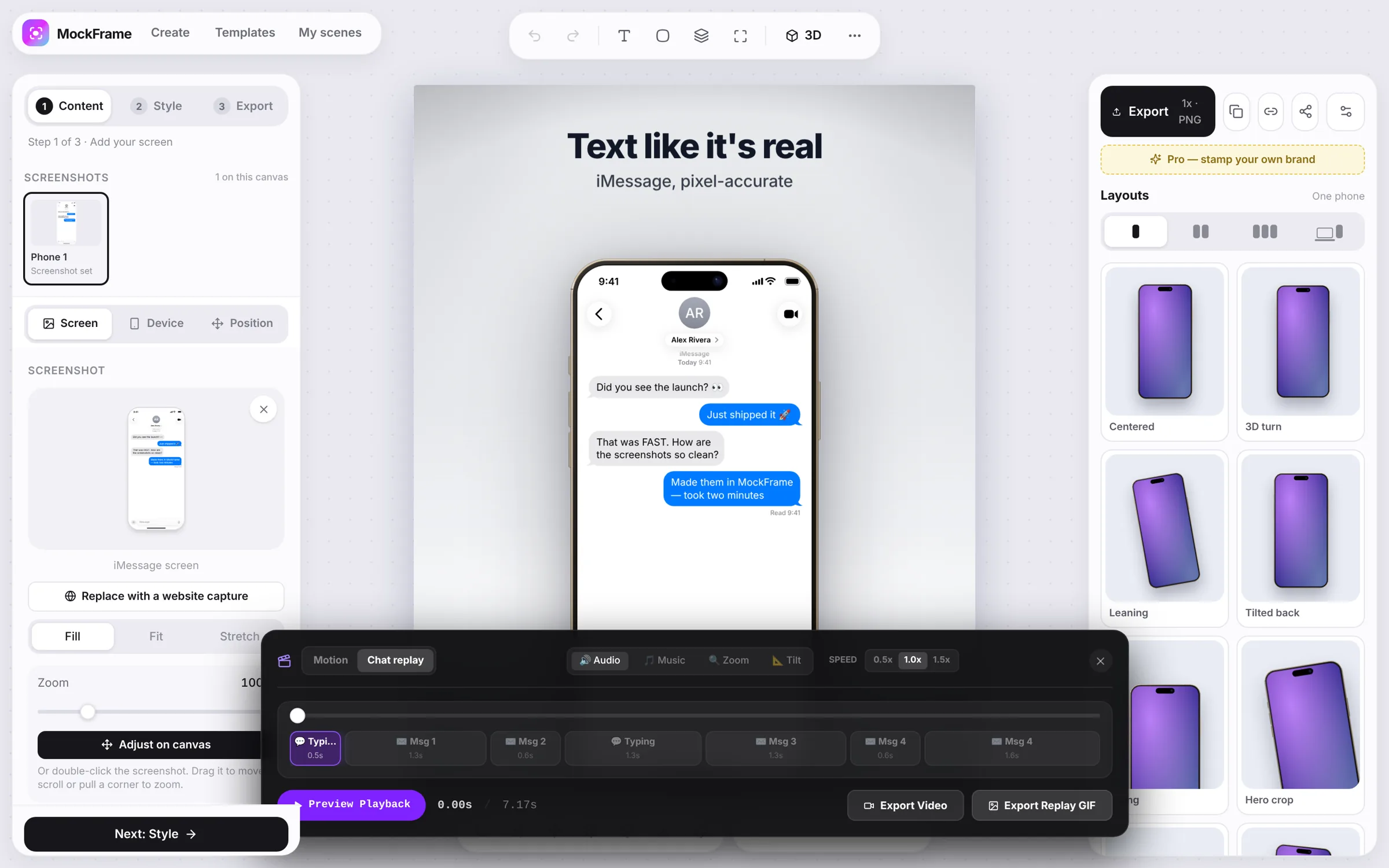
Arrange your chat bubble reveals or UI changes in the timeline. Use the MockFrame scrubber to fine-tune hold and fade timings.
Toggle Zoom Focus and Tilt Float in the Animate Panel to add realistic, dynamic perspective changes to the preview.
Turn on typing clicks and the lo-fi music bed, pick 30 or 60 fps and up to 4K, then export an MP4 that's ready for Product Hunt, X and LinkedIn.
Free, no sign-up, and it runs in your browser.